> ## Documentation Index
> Fetch the complete documentation index at: https://docs.leap.new/llms.txt
> Use this file to discover all available pages before exploring further.
# Deployment Overview
> Deploy your Leap applications to Encore Cloud or your own AWS/GCP infrastructure
When you're ready to share your app with the world, it's time to deploy it.
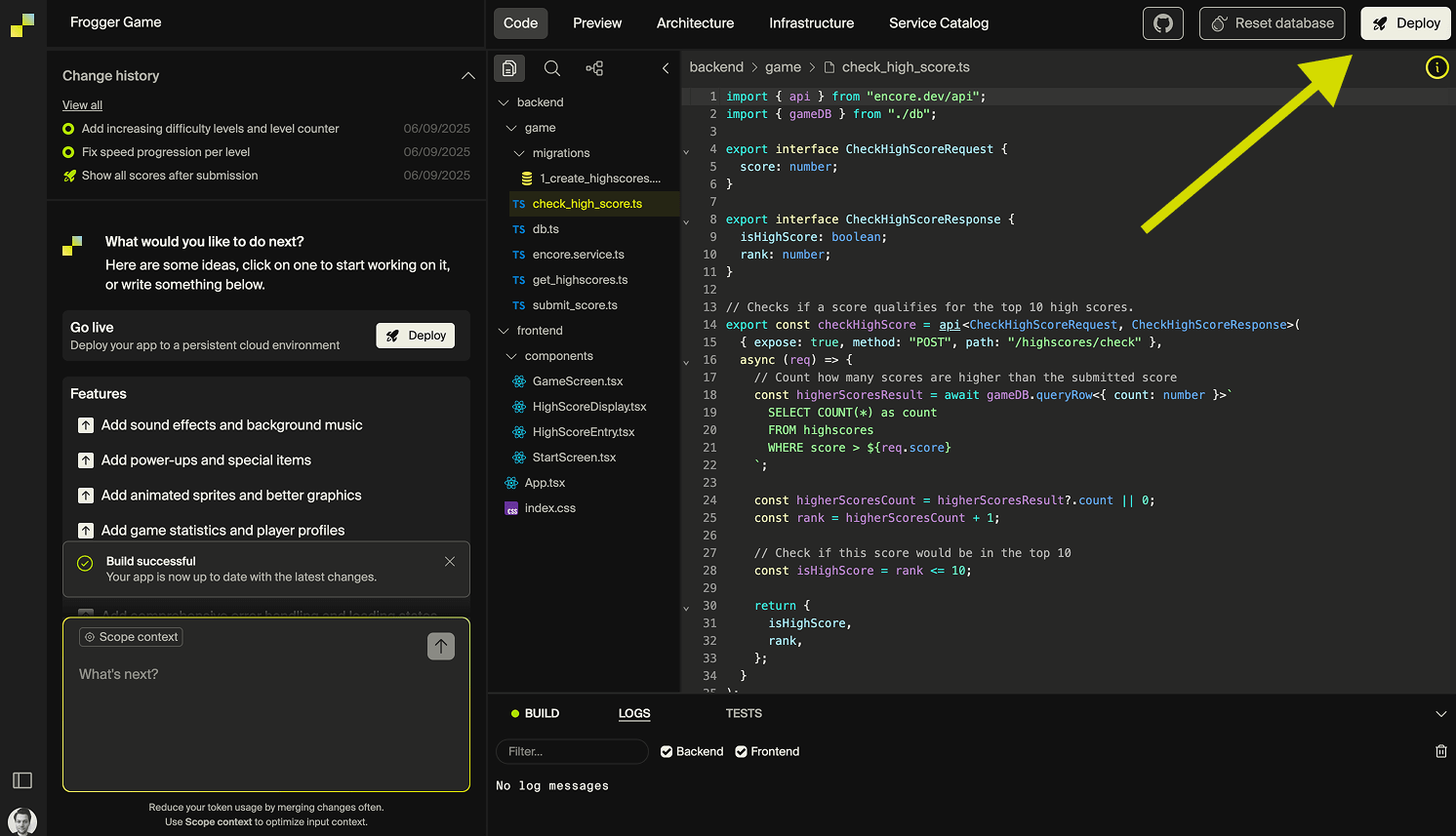
Leap apps can be deployed automatically using Leap's integration with Encore Cloud. Just click **Deploy** in the top-right corner of Leap to open the deployment dialog. From there, you can choose to deploy to a free Encore Cloud-hosted environment or connect your own AWS or GCP account.
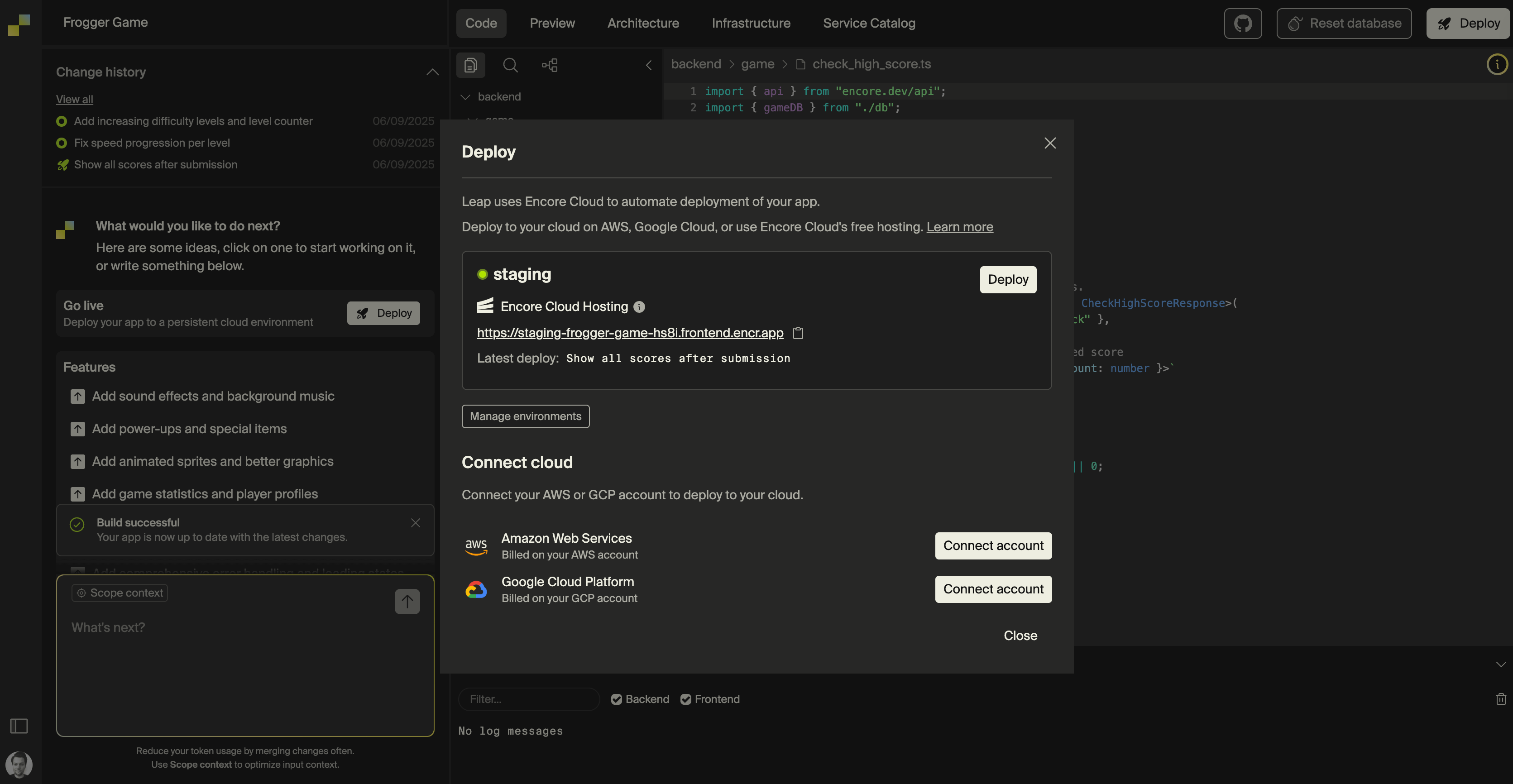 Encore Cloud's built-in hosting is ideal for small-scale projects and comes with [**usage limits**](https://encore.dev/docs/platform/management/usage). To remove these limits, you can deploy to your own AWS or GCP account, where resources are billed directly to you.
**Same experience either way**: Whether you deploy to Encore's infrastructure or your own cloud, you get the same monitoring, scaling, and developer experience through Encore Cloud.
## Deploying to your own cloud
With Encore Cloud you can automate deployments to your own AWS or GCP account. This requires an [Encore Cloud Pro subscription](https://encore.cloud/pricing), which enables Encore Cloud to orchestrate the deployment to your cloud provider.
Here's what you get:
* **One click deploys** - Encore Cloud handles CI/CD and orchestrates infrastructure provisioning
* **Data sovereignty** - Your data stays in your cloud account
* **Compliance** - Meet enterprise and regulatory requirements
* **Cost control** - Use existing cloud discounts and reserved instances
* **Security** - Deploy within your existing VPC and security models
**Setup guides**
Complete guide for AWS deployment
Step-by-step GCP setup
***
**Ready to deploy?** Start with one-click deployment to Encore infrastructure, then connect your cloud account when you're ready for production control. [Build your first app →](/getting-started/quickstart)
Encore Cloud's built-in hosting is ideal for small-scale projects and comes with [**usage limits**](https://encore.dev/docs/platform/management/usage). To remove these limits, you can deploy to your own AWS or GCP account, where resources are billed directly to you.
**Same experience either way**: Whether you deploy to Encore's infrastructure or your own cloud, you get the same monitoring, scaling, and developer experience through Encore Cloud.
## Deploying to your own cloud
With Encore Cloud you can automate deployments to your own AWS or GCP account. This requires an [Encore Cloud Pro subscription](https://encore.cloud/pricing), which enables Encore Cloud to orchestrate the deployment to your cloud provider.
Here's what you get:
* **One click deploys** - Encore Cloud handles CI/CD and orchestrates infrastructure provisioning
* **Data sovereignty** - Your data stays in your cloud account
* **Compliance** - Meet enterprise and regulatory requirements
* **Cost control** - Use existing cloud discounts and reserved instances
* **Security** - Deploy within your existing VPC and security models
**Setup guides**
Complete guide for AWS deployment
Step-by-step GCP setup
***
**Ready to deploy?** Start with one-click deployment to Encore infrastructure, then connect your cloud account when you're ready for production control. [Build your first app →](/getting-started/quickstart)