> ## Documentation Index
> Fetch the complete documentation index at: https://docs.leap.new/llms.txt
> Use this file to discover all available pages before exploring further.
# Import Databases
> Import your existing databases using a connection string
Leap supports seamless integration with existing PostgreSQL databases. By providing a connection string, Leap automatically reads your schema and generates full-stack applications that leverage your existing data models.
## Features
* **One-Click Import:** Connect to any PostgreSQL-compatible database using a connection string.
* **Automatic Schema Reading:** Leap analyzes your database schema, including tables, relationships, and constraints, to understand your data model.
* **Contextual App Generation:** Applications generated by Leap are aware of your data structure and use it intelligently throughout the backend and frontend.
* **Schema Sync:** Use the Pull database schema button in the Infrastructure tab to sync your schema changes at any time.
* **Environment Portability:** Applications continue to function seamlessly across environments when deployed with Encore Cloud.
## Use Cases
* **Dashboards**\
Build interactive dashboards to visualize, explore, and manage your data in real time.
* **CRM Extensions**\
Integrate with user databases to trigger actions, automate workflows, and enrich customer data.
* **Custom Agents**\
Combine your database with an AI API key to create agents that automate internal processes and decision-making.
* **Internal Tools**\
Streamline operations with tools for user lookups, permission management, approval flows, and more.
## Step-by-step guide
### **1. Connect your database**
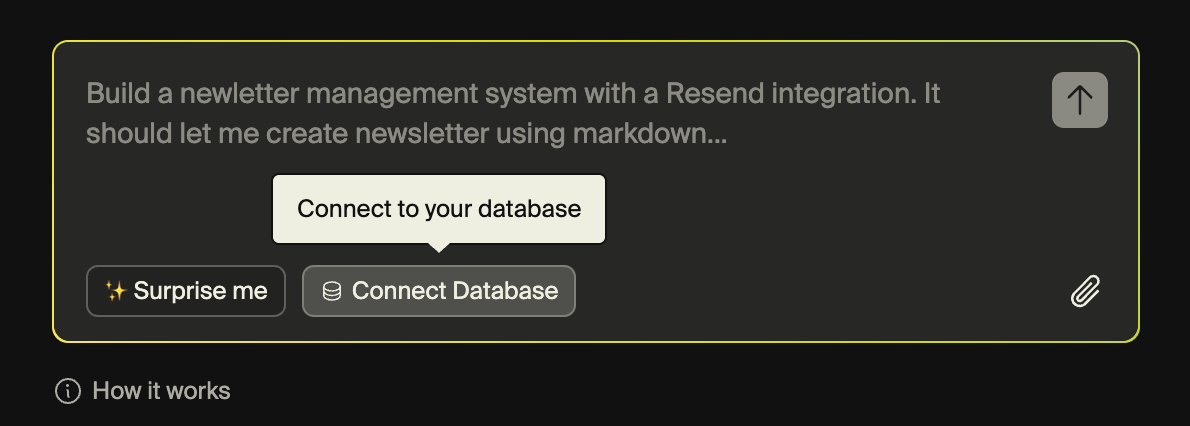
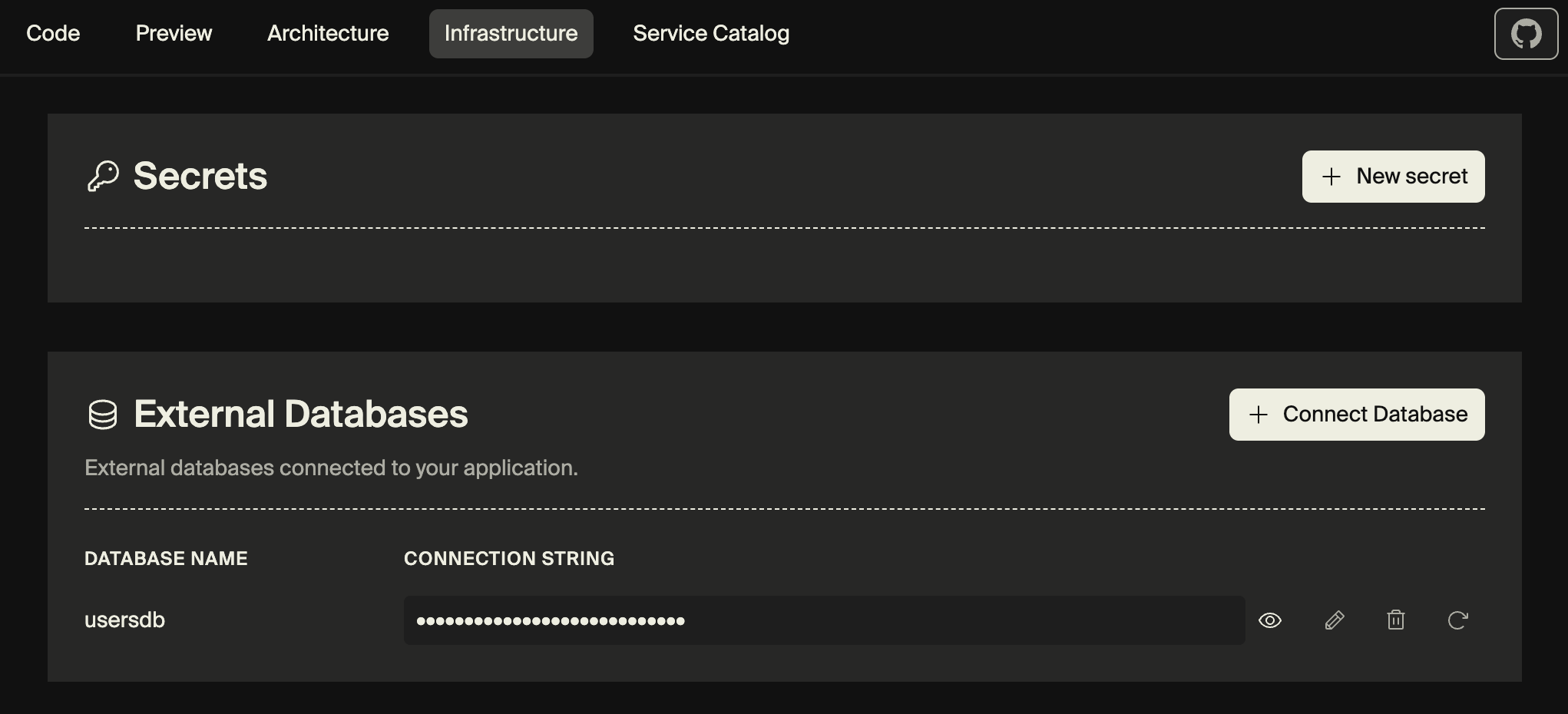
Provide your PostgreSQL connection string to import your existing database. You can do this either in the prompt area when creating a new app, or in the **Infrastructure** view within an existing app, by clicking **Connect database** in the **External databases** section.
 ### **2. Leap automatically analyzes your schema**
Leap automatically reads and understands your schema, adding this to the context of your application. You don't need to do anything.
### **3. Prompt to build your app**
Prompt Leap to build an application, it will automatically know how to use your database and what the schema looks like.
### 4. Pull in updates
Your database schema can continue evolving outside of Leap using your preferred tools and workflows. If changes occur, click **Pull database schema** in the Infrastructure viewer to update Leap’s understanding of your schema automatically.
## Supported Databases
Database imports work with any PostgreSQL-compatible provider, including:
* AWS RDS PostgreSQL
* Google Cloud SQL
* Prisma Postgres
* Supabase
* Neon
* And many others
### **2. Leap automatically analyzes your schema**
Leap automatically reads and understands your schema, adding this to the context of your application. You don't need to do anything.
### **3. Prompt to build your app**
Prompt Leap to build an application, it will automatically know how to use your database and what the schema looks like.
### 4. Pull in updates
Your database schema can continue evolving outside of Leap using your preferred tools and workflows. If changes occur, click **Pull database schema** in the Infrastructure viewer to update Leap’s understanding of your schema automatically.
## Supported Databases
Database imports work with any PostgreSQL-compatible provider, including:
* AWS RDS PostgreSQL
* Google Cloud SQL
* Prisma Postgres
* Supabase
* Neon
* And many others